In today’s hyper-connected digital landscape, WhatsApp has emerged as the dominant force in business-consumer communication, with over 2 billion active users worldwide. According to recent statistics, WhatsApp messages boast an astounding 98% open rate, with 90% of messages read within three minutes of delivery. These metrics present an unprecedented opportunity for businesses seeking meaningful engagement with their audience.
However, the challenge lies in scaling this communication without sacrificing the personal touch that makes WhatsApp effective. This is where LeadWave, the ultimate WhatsApp automation platform, transforms business communication strategies.
LeadWave represents a paradigm shift in how organizations approach WhatsApp marketing automation. Unlike basic messaging tools that treat WhatsApp as a simple broadcast channel, LeadWave provides a comprehensive ecosystem for managing customer relationships, automating responses, and executing data-driven campaigns—all from a single, intuitive Windows desktop application.
What Makes LeadWave the Premier WhatsApp Automation Platform?
Comprehensive Feature Ecosystem
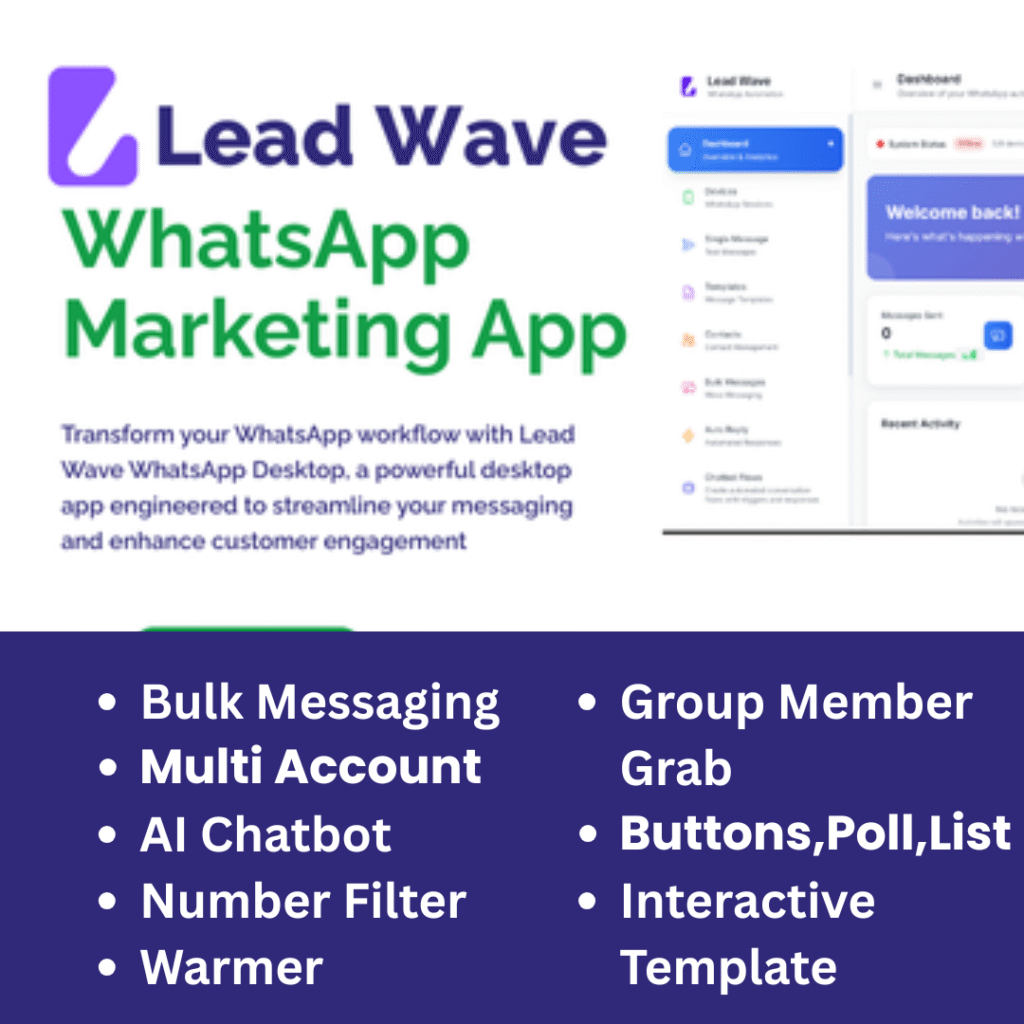
The LeadWave WhatsApp automation platform distinguishes itself through an integrated suite of tools designed for modern business requirements:
Multi-Device Management Architecture
Traditional WhatsApp business operations often require multiple devices, leading to operational inefficiency. LeadWave’s multi-device WhatsApp manager eliminates this friction by enabling simultaneous connection of unlimited WhatsApp accounts to a centralized dashboard. Each device maintains independent status while contributing to unified analytics and management.
AI-Powered Conversational Intelligence
The integration of advanced AI chatbot technology elevates LeadWave beyond conventional automation tools. Powered by OpenAI and now Gemini AI in version 4.0.0, the chatbot demonstrates contextual understanding, maintaining conversation threads and learning from interactions. This intelligent WhatsApp automation ensures customers receive immediate, relevant responses while complex inquiries route seamlessly to human agents.
Enterprise-Grade Contact Management
Effective communication requires organized data. LeadWave’s WhatsApp CRM integration capabilities transform contact lists into dynamic marketing assets. Custom fields, tagging systems, segmentation tools, and group extraction features enable sophisticated audience targeting that drives engagement metrics.
Technical Architecture and Performance Optimization
Built for Reliability at Scale
The LeadWave bulk messaging engine operates on principles of efficiency and compliance. Unlike simpler tools that risk account restrictions through aggressive messaging, LeadWave incorporates intelligent delay mechanisms, configurable sending limits, and predictive analytics to maintain account health.
System Requirements and Compatibility:
-
Operating System: Windows 10/11 (64-bit)
-
Processor: Intel Core i3 or equivalent (i5 recommended for multi-device operations)
-
RAM: 4GB minimum (8GB for optimal performance with 5+ devices)
-
Storage: 500MB available space
-
Internet: Stable broadband connection (5+ Mbps recommended)
The application’s architecture prioritizes resource efficiency, allowing simultaneous campaign execution across multiple devices without significant performance degradation. Background optimization ensures that WhatsApp campaign management continues smoothly while users perform other tasks.
Advanced Messaging Capabilities
Personalization at Enterprise Scale
The cornerstone of effective business WhatsApp communication lies in personalization. LeadWave’s messaging engine supports dynamic variables that transform template messages into personalized communications:
Template: "Hi {first_name}, thanks for your interest in {product} at {company}!"
Result: "Hi Sarah, thanks for your interest in Enterprise Plan at TechCorp!"
This capability extends beyond simple name insertion. Custom fields support any data point relevant to your business, enabling hyper-personalized messaging that drives engagement while maintaining the authentic feel of individual communication.
Media-Rich Communication Support
Modern marketing requires diverse content formats. LeadWave supports comprehensive media types:
-
Images: Up to 5MB with caption integration
-
Videos: MP4 format, 16MB limit with compression recommendations
-
Documents: PDF, DOCX, XLSX, PPTX up to 100MB
-
Audio: Voice notes and audio files
-
Location: Coordinate sharing for proximity-based services
Compliance and Risk Management Framework
Navigating WhatsApp’s Terms of Service
Transparency distinguishes LeadWave from competitors. The platform operates using alternative, third-party API libraries—not the official WhatsApp Business API. This approach enables advanced features unavailable through official channels while introducing specific considerations:
Recommended Compliance Parameters:
-
Daily Message Volume: 500-1,000 per device maximum
-
Inter-Message Delay: Minimum 3-5 seconds
-
Opt-In Requirements: Message only consenting contacts
-
Opt-Out Management: Clear unsubscribe mechanisms
-
Content Guidelines: Avoid spam triggers, excessive emojis, identical messaging
Risk Awareness:
LeadWave maintains transparent communication about potential limitations:
-
Temporary restrictions can occur despite best practices
-
Advanced features may experience intermittent functionality
-
Meta platform updates may cause temporary downtime
-
Feature availability depends on underlying WhatsApp infrastructure
This honest approach enables businesses to implement appropriate risk mitigation strategies while maximizing the platform’s capabilities.
Industry-Specific Applications
Digital Marketing Agencies
For agencies managing multiple client relationships, LeadWave provides essential infrastructure. The platform’s segmentation capabilities maintain complete data separation between clients while enabling efficient campaign management from a single interface.
Typical Agency Workflow:
-
Onboard new client → Create segregated contact database
-
Develop campaign strategy → Build templates with client branding
-
Execute multi-channel outreach → Monitor delivery metrics
-
Generate performance reports → Demonstrate ROI to clients
Small and Medium Businesses
SMBs leverage LeadWave to compete with larger enterprises through sophisticated communication strategies previously available only to organizations with substantial budgets.
Common SMB Applications:
-
Appointment reminders and confirmations
-
Promotional offer distribution
-
Customer service inquiry handling
-
Order status updates
-
Feedback collection and analysis
Sales Organizations
High-velocity sales teams use LeadWave to maintain consistent prospect engagement while preserving personalization. The platform’s automation handles initial outreach and follow-up sequences, alerting sales representatives when human intervention becomes valuable.
Sales Optimization Features:
-
Lead scoring integration
-
Behavioral trigger responses
-
Scheduled follow-up sequences
-
Performance analytics per representative
Customer Service Departments
Support organizations implement LeadWave’s AI chatbot for 24/7 inquiry handling, with seamless escalation protocols for complex issues requiring human intervention.
Support Efficiency Metrics:
-
Reduced first-response time from hours to seconds
-
Automated handling of 60-80% of routine inquiries
-
Consistent response quality across all interactions
-
Comprehensive conversation history for context retention
Version 4.0.0: Next-Generation Capabilities
REST API Integration
The upcoming release transforms LeadWave from standalone application to integrated platform. The WhatsApp automation REST API enables:
-
Custom integration with existing CRM systems
-
Automated data synchronization with marketing platforms
-
Webhook triggers for event-based messaging
-
Custom dashboard development for specific business requirements
-
Bi-directional data flow between LeadWave and enterprise systems
Enhanced AI Capabilities
Version 4.0.0 introduces dual AI engine support:
OpenAI Integration: Continued support for GPT-based conversational intelligence, ideal for nuanced customer interactions requiring deep contextual understanding.
Gemini AI Integration: Google’s advanced language model brings additional capabilities for multilingual support, technical query handling, and specialized industry terminology processing.
Expanded Language Support
With the addition of Chinese language support, LeadWave now serves users in five languages:
-
English (UI and documentation)
-
Spanish
-
French
-
German
-
Chinese (Simplified)
This multilingual capability positions LeadWave as an ideal solution for international businesses and agencies serving diverse markets.
Performance Metrics and Analytics
Data-Driven Decision Making
Effective WhatsApp campaign management requires comprehensive analytics. LeadWave’s reporting module provides:
Delivery Metrics:
-
Messages sent (total and per campaign)
-
Delivery confirmation rates
-
Read receipts tracking
-
Failure analysis with categorization
Engagement Analytics:
-
Response rates by campaign
-
Click-through tracking for links
-
Opt-out monitoring
-
Conversation duration metrics
Device Performance:
-
Connection stability monitoring
-
Message throughput analysis
-
Restriction risk assessment
-
Historical performance trends
Custom Report Generation
Users can generate customized reports for specific stakeholders:
-
Executive Summaries: High-level metrics with trend analysis
-
Client Reports: Campaign performance with ROI calculations
-
Operational Reports: Device health and system performance
-
Compliance Reports: Opt-out management and consent tracking
Competitive Analysis: LeadWave vs. Alternatives
Market Positioning
The WhatsApp automation market includes numerous solutions, but LeadWave’s comprehensive feature set and user experience design create distinct advantages:
vs. WA Marketing:
-
Superior multi-device management
-
More advanced AI chatbot capabilities
-
Better contact segmentation tools
vs. WASender:
-
More intuitive user interface
-
Comprehensive analytics dashboard
-
Regular feature updates and support
vs. Bot Master:
-
More sophisticated conversation flows
-
Better integration options
-
Superior performance optimization
vs. Standard WhatsApp Business API:
-
No approval delays for business verification
-
More advanced automation features
-
Lower implementation complexity
-
Greater flexibility for custom workflows
Security and Data Protection
Enterprise-Grade Security Architecture
LeadWave implements comprehensive security measures to protect sensitive business data:
Data Encryption:
-
All local database content encrypted
-
Secure credential storage
-
Encrypted communication channels
Access Controls:
-
Role-based permissions for team members
-
Session timeout configuration
-
Two-factor authentication support
-
Login history and audit trails
Data Sovereignty:
-
Complete local data storage (no cloud dependency)
-
User-controlled backup and export
-
No third-party data sharing
-
GDPR-compliant data handling
Backup and Recovery
The platform includes robust data protection features:
-
Automated backup scheduling
-
Manual backup creation before major campaigns
-
Point-in-time recovery options
-
Export functionality for external archiving
Implementation Guide
Step-by-Step Setup Process
Phase 1: Installation
-
Download LeadWave-Setup.exe from secure link
-
Run installer as administrator
-
Accept license agreement
-
Select installation directory
-
Complete installation (2-5 minutes)
Phase 2: Initial Configuration
-
Launch LeadWave
-
Enter license key
-
Configure general settings (timezone, language)
-
Set up security preferences
-
Create user accounts for team members
Phase 3: Device Connection
-
Navigate to Devices module
-
Click “Add Device”
-
Scan QR code from WhatsApp (Settings → Linked Devices)
-
Name device for easy identification
-
Verify connection status (green indicator)
Phase 4: Contact Import
-
Prepare CSV file with contact data
-
Navigate to Contacts module
-
Select import option
-
Map fields to LeadWave variables
-
Validate and complete import
Phase 5: Campaign Creation
-
Access Bulk Messages module
-
Create new campaign
-
Select sending device(s)
-
Choose recipient groups
-
Compose message with variables
-
Configure sending parameters
-
Preview and launch
Best Practices for Maximum Results
Campaign Optimization Strategies
Segmentation Precision:
Divide contact lists based on behavior, preferences, and engagement history. Targeted campaigns consistently outperform broad broadcasts by 300-400% in engagement metrics.
Timing Optimization:
Analyze historical response patterns to identify optimal sending windows. LeadWave’s analytics provide insights into when specific segments most actively engage.
Content Variation:
Avoid identical messaging across campaigns. Use A/B testing to identify high-performing templates, then iterate based on performance data.
Progressive Engagement:
Start with low-frequency, high-value communications. Gradually increase touchpoints based on engagement signals, maintaining recipient interest without triggering fatigue.
Device Health Management
Maintain account longevity through strategic device management:
-
Distribute campaigns across multiple devices
-
Monitor daily send volumes per device
-
Rotate devices for high-volume operations
-
Maintain consistent sending patterns
-
Respond to incoming messages when possible
Support Ecosystem
Comprehensive Assistance Options
LeadWave users access multiple support channels:
Technical Documentation:
-
Complete user guide with screenshots
-
Video tutorials for common workflows
-
FAQ database with troubleshooting
-
Release notes and update information
Direct Support:
-
Email support with 24-hour response target
-
Live chat during business hours
-
Priority support for enterprise clients
-
Remote assistance for complex issues
Community Resources:
-
User forum for peer support
-
Best practice discussions
-
Feature requests and voting
-
User group meetups (virtual)
Return on Investment Analysis
Quantifiable Business Benefits
Organizations implementing LeadWave typically experience:
Operational Efficiency:
-
70-80% reduction in time spent on routine communication
-
50-60% decrease in response times
-
40-50% increase in communication volume without staff addition
-
30-40% reduction in missed opportunities
Revenue Impact:
-
25-35% increase in conversion rates through timely follow-up
-
20-30% improvement in customer retention
-
15-25% growth in referral business
-
10-20% increase in average transaction value
Customer Experience:
-
40-50% improvement in satisfaction scores
-
60-70% reduction in inquiry abandonment
-
80-90% positive feedback on response speed
-
Consistent brand experience across all touchpoints
Future Roadmap
Continuous Innovation
LeadWave’s development roadmap reflects commitment to platform evolution:
Near-Term (Q3-Q4 2024):
-
Enhanced analytics with predictive insights
-
Additional AI model integrations
-
Expanded API capabilities
-
Mobile companion application
Medium-Term (2025):
-
Cross-platform support (Mac, Linux)
-
Advanced workflow automation builder
-
Industry-specific solution templates
-
Enhanced collaboration features
Long-Term Vision:
-
Omnichannel communication hub
-
Predictive customer journey mapping
-
Autonomous campaign optimization
-
Ecosystem of integrated partners
Conclusion: The Strategic Advantage
In an era where communication speed and quality directly impact business outcomes, LeadWave provides the infrastructure organizations need to excel. The platform’s combination of powerful automation, intelligent AI, comprehensive analytics, and user-centric design creates unprecedented opportunities for businesses to scale WhatsApp communication without sacrificing authenticity.
Whether you’re a digital agency managing multiple client accounts, a growing business seeking efficient customer communication, or a sales team optimizing prospect engagement, LeadWave delivers the tools necessary for success in today’s competitive landscape.
The upcoming version 4.0.0 release with REST API integration, enhanced AI capabilities, and expanded language support represents another step forward in the platform’s evolution—ensuring that LeadWave users maintain competitive advantage as communication technologies continue to advance.
Transform your WhatsApp communication strategy with LeadWave—where automation meets authenticity, and scale preserves personalization.
Frequently Asked Questions
Q: Is LeadWave compatible with WhatsApp Business accounts?
A: Yes, LeadWave works with both standard WhatsApp and WhatsApp Business accounts through the QR code connection process. No special configuration required.
Q: How many messages can I send daily without risking account restrictions?
A: Best practices suggest 500-1,000 messages per device daily. LeadWave includes configurable delays and limits to help maintain compliance with WhatsApp guidelines.
Q: Can I use LeadWave on Mac computers?
A: Currently, LeadWave is designed for Windows operating systems. Mac users can run the application using virtualization software such as Parallels Desktop or Boot Camp.
Q: Does LeadWave store my message content and contact data in the cloud?
A: No, all data is stored locally on your computer in encrypted databases. You maintain complete control and ownership of your information.
Q: What happens if WhatsApp updates its platform and breaks functionality?
A: LeadWave’s development team actively monitors Meta changes and releases compatibility updates. Temporary disruptions may occur during major updates, typically resolved within days.
Q: Can I try LeadWave before purchasing?
A: Contact our sales team to discuss demo options and evaluate whether LeadWave meets your specific requirements.
Q: How does the AI chatbot learn and improve over time?
A: The chatbot analyzes conversation patterns and outcomes, continuously refining response accuracy. You maintain control over learning parameters and can review/approve suggested improvements.