
LeadWave WhatsApp Marketing Tools

All-in-one WhatsApp marketing automation — AI Chatbot, Bulk Messaging, Multi-Device & Number Health Check

Number Health Check — NEW AI Chatbot Anti-Ban 98% Open Rate Multi-Device
Latest Version — out now

WhatsApp Number Health Check

Before running any campaign, LeadWave scans your WhatsApp number's risk score, spam reputation and sending history. Send only from healthy numbers — stop bans before they happen.

90%Score
Number A
Safe to Send
58%Score
Number B
Warm Up First
22%Score
Number C
High Risk — Skip
1
Connect Number
Link WhatsApp via QR or pairing code as usual.
2
Run Health Scan
LeadWave checks spam score, send history & ban risk.
3
See Your Score
Safe / Warm Up / High Risk — rated before sending.
4
Send with Confidence
Only run campaigns from verified healthy numbers.
Free Trial Available

Download LeadWave

Try it free — full access, no credit card required

VersionLatest
ReleaseCurrent
TrialFree
PlatformWin 10/11

After install, copy your license code and send it via WhatsApp to activate instantly.

Latest LeadWave version — now available

NEW: WhatsApp Number Health Check before campaigns · Enhanced database performance · Improved connection stability · New automation features.

Watch the LeadWave Explainer

See how Number Health Check & all features work in under 3 minutes

Explore Every Module

A real look at the desktop app — every module you get, straight from the product.
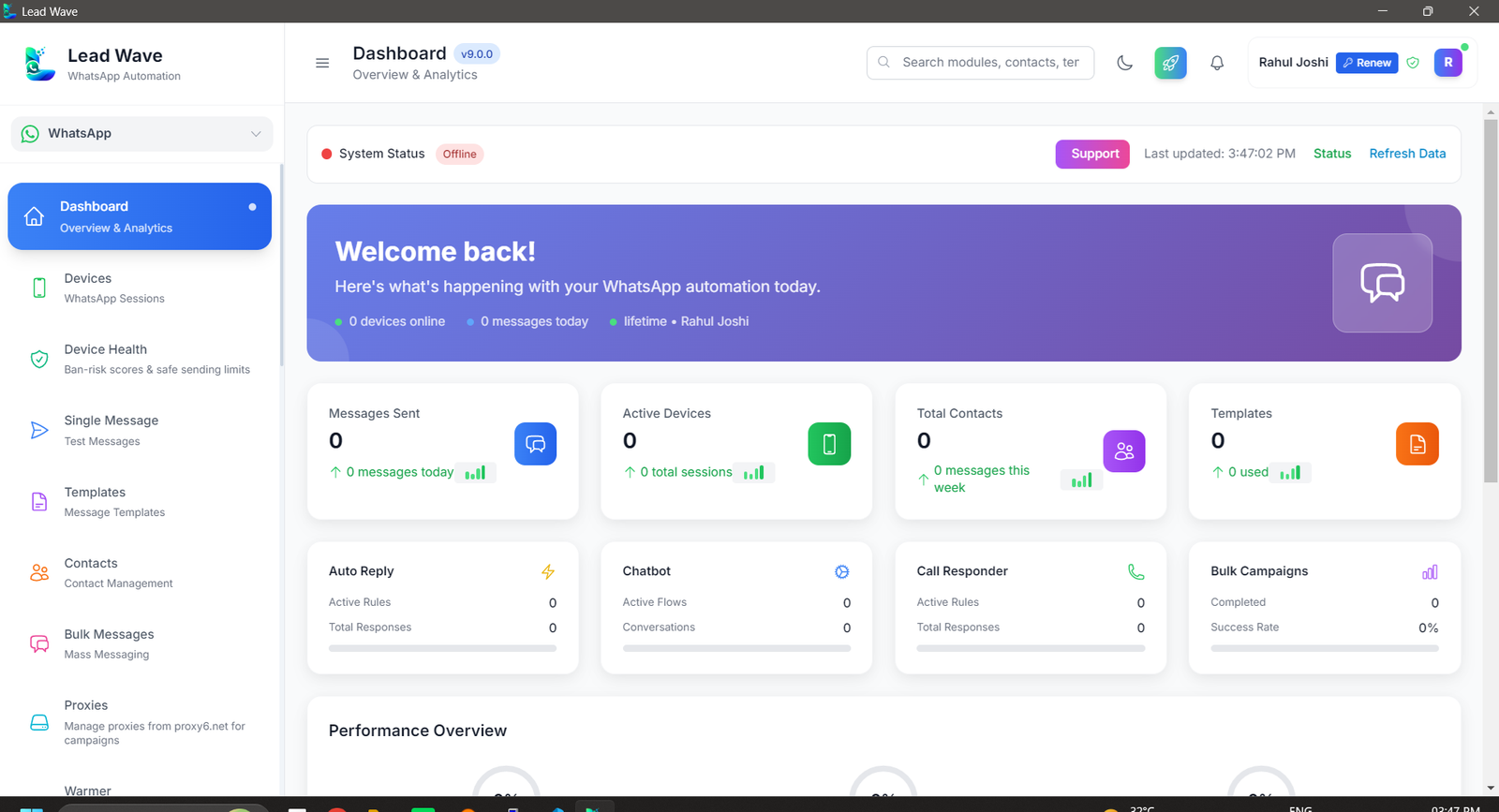
LeadWave Dashboard — live overview of leads and campaigns

Dashboard

A live overview of your leads, conversations and campaign performance.
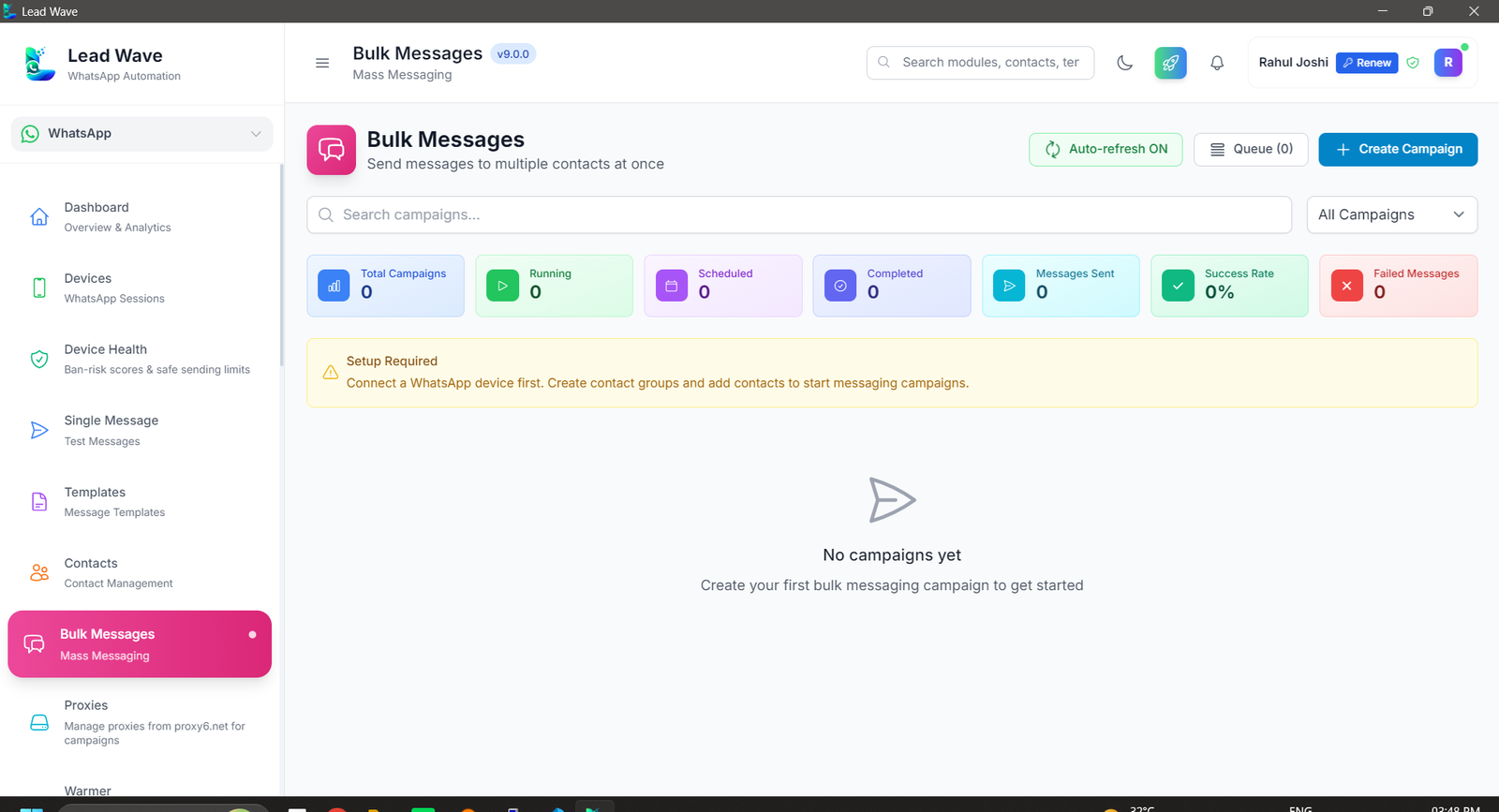
LeadWave Bulk Messages — broadcast to contacts and groups

Bulk Messages

Broadcast text, media and button templates to contacts or groups in bulk.
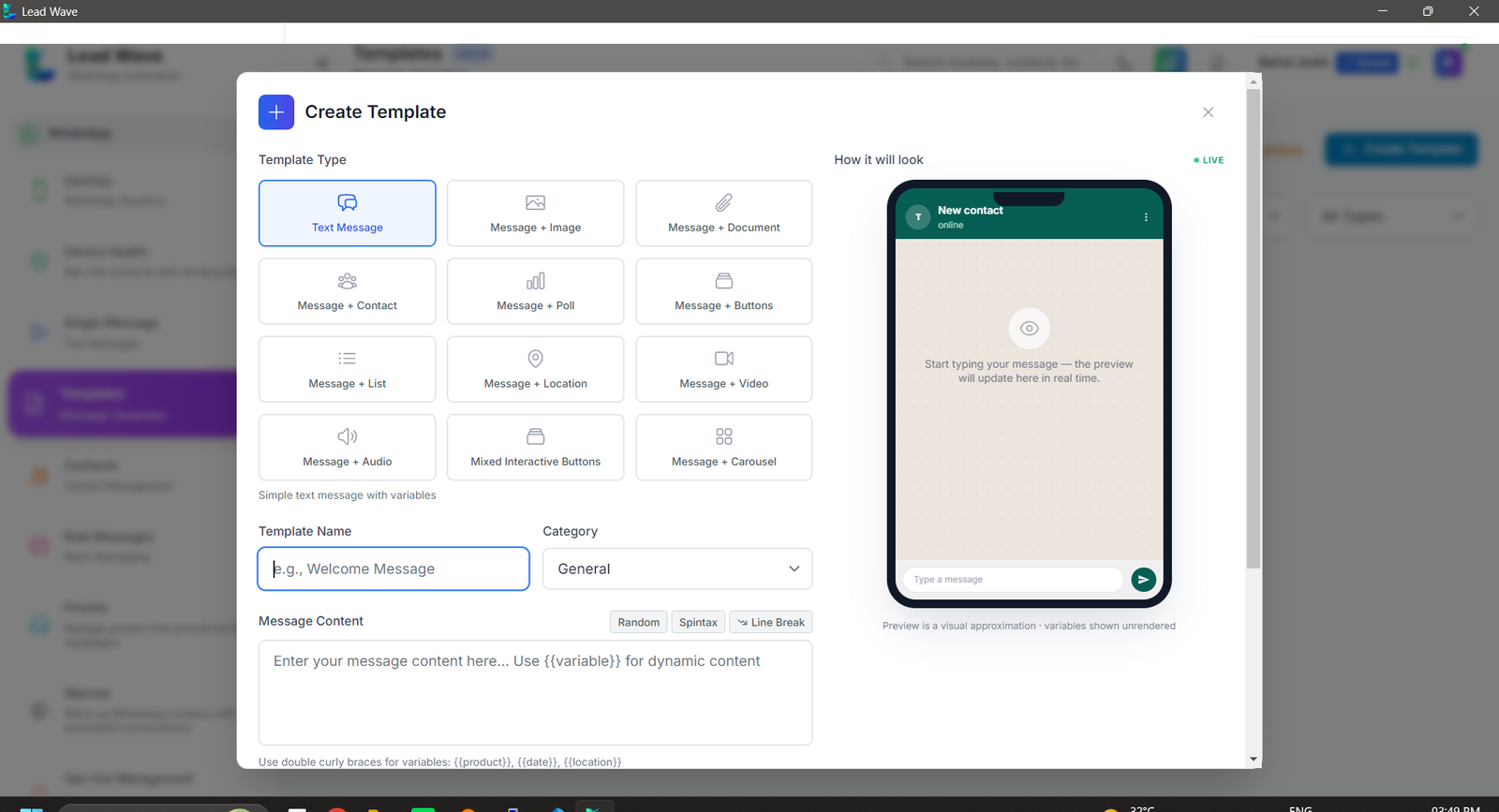
LeadWave Message Templates — reusable interactive templates

Message Templates

Build and reuse interactive templates with buttons, images and variables.
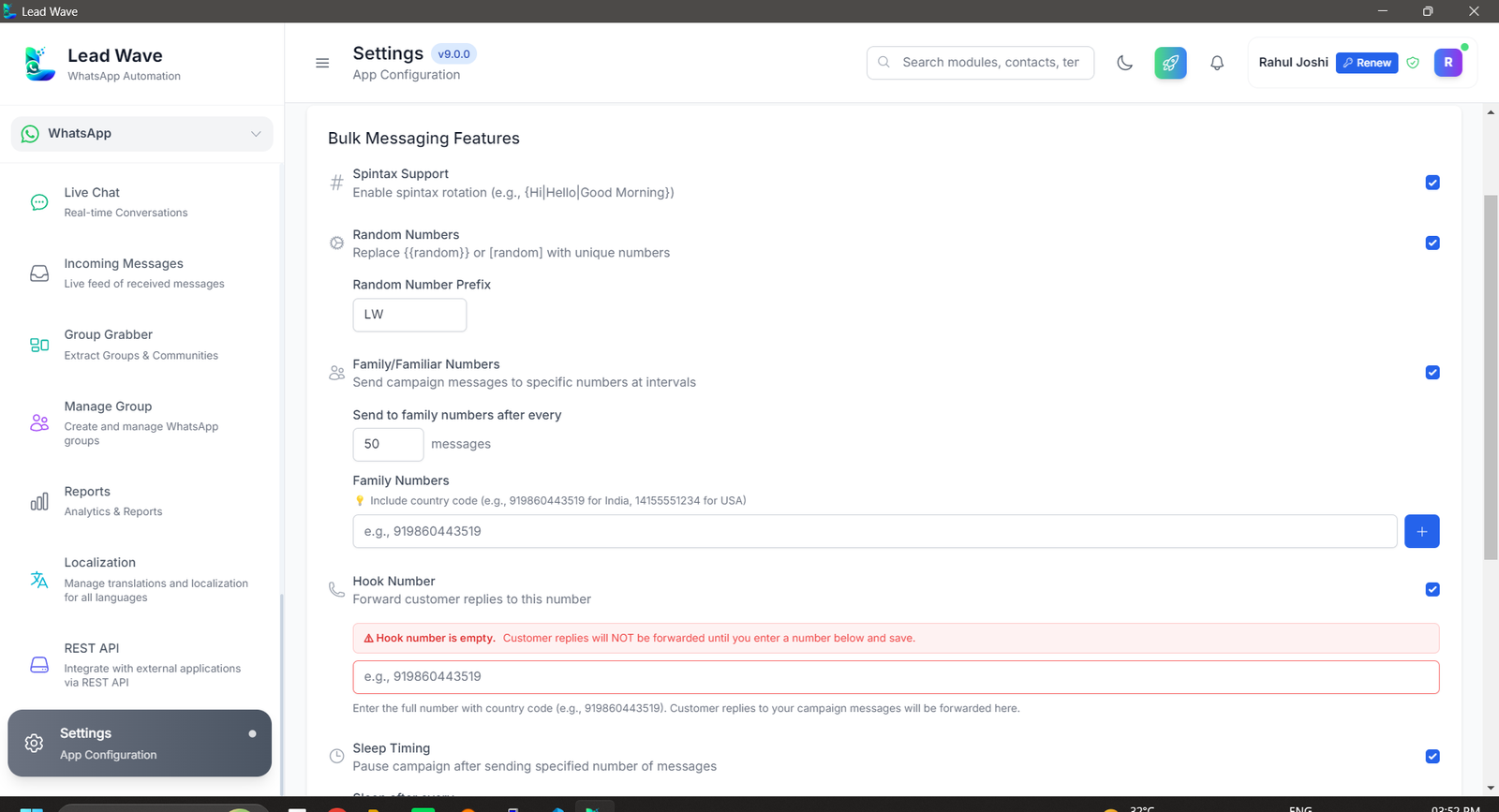
LeadWave Bulk Message Settings — sending delay controls

Bulk Message Settings

Fine-tune sending delays and limits to keep campaigns safe and reliable.
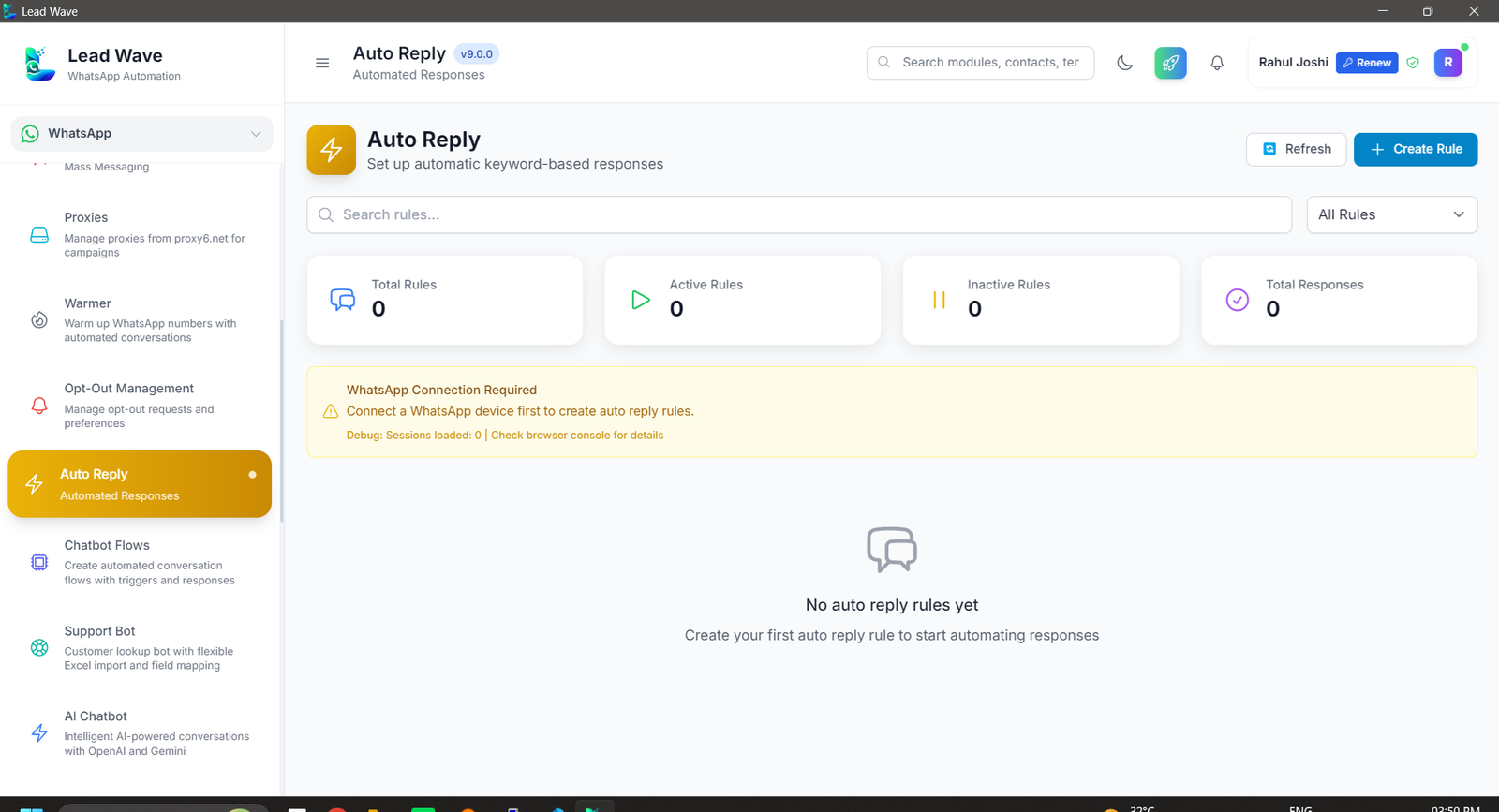
LeadWave Auto Reply — keyword-based automatic responses

Auto Reply

Trigger instant keyword-based replies to common questions, automatically.
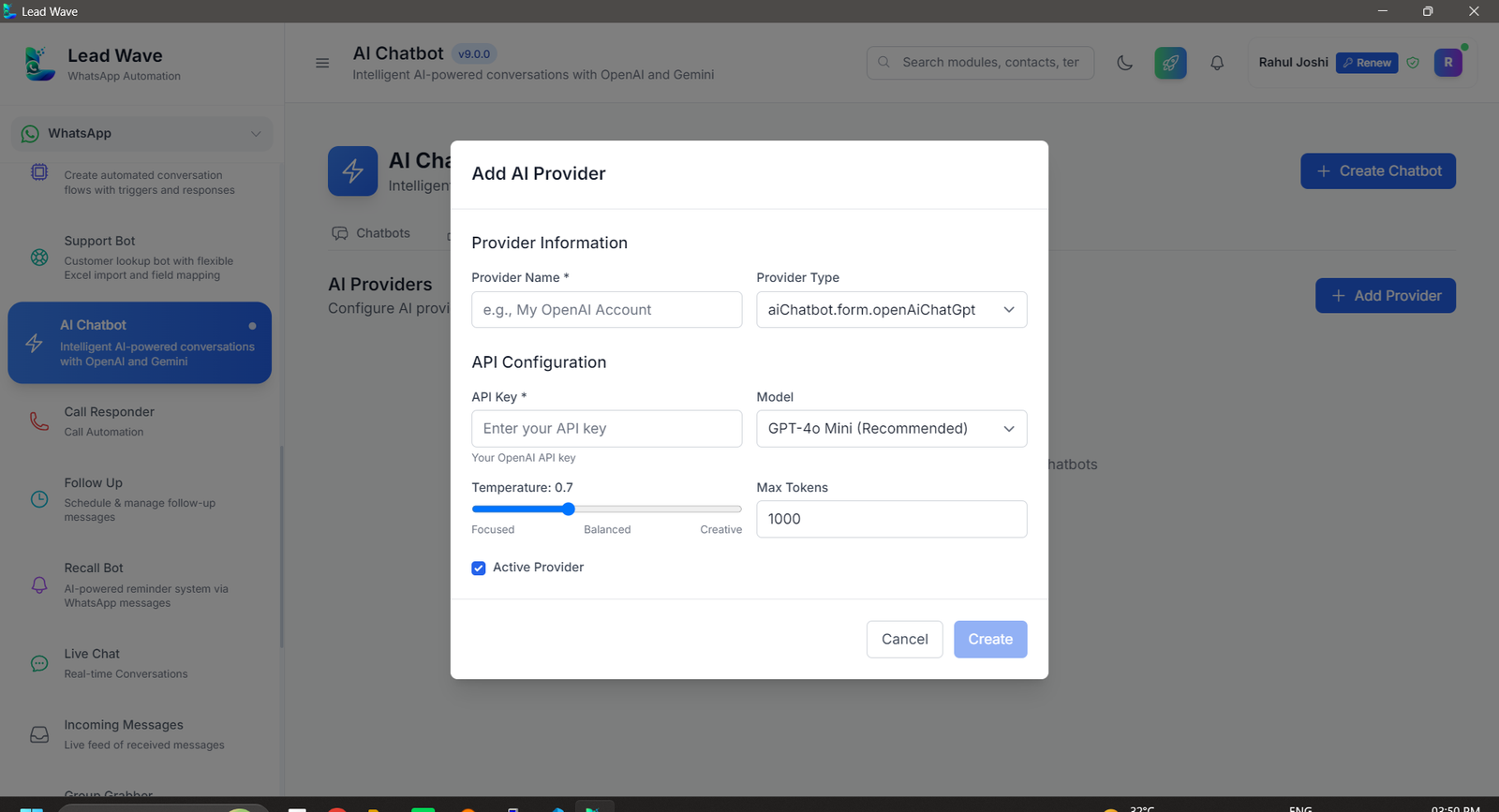
LeadWave AI Chatbot — intelligent automated responses

AI Chatbot

Hand conversations to an AI assistant that responds like a real teammate.
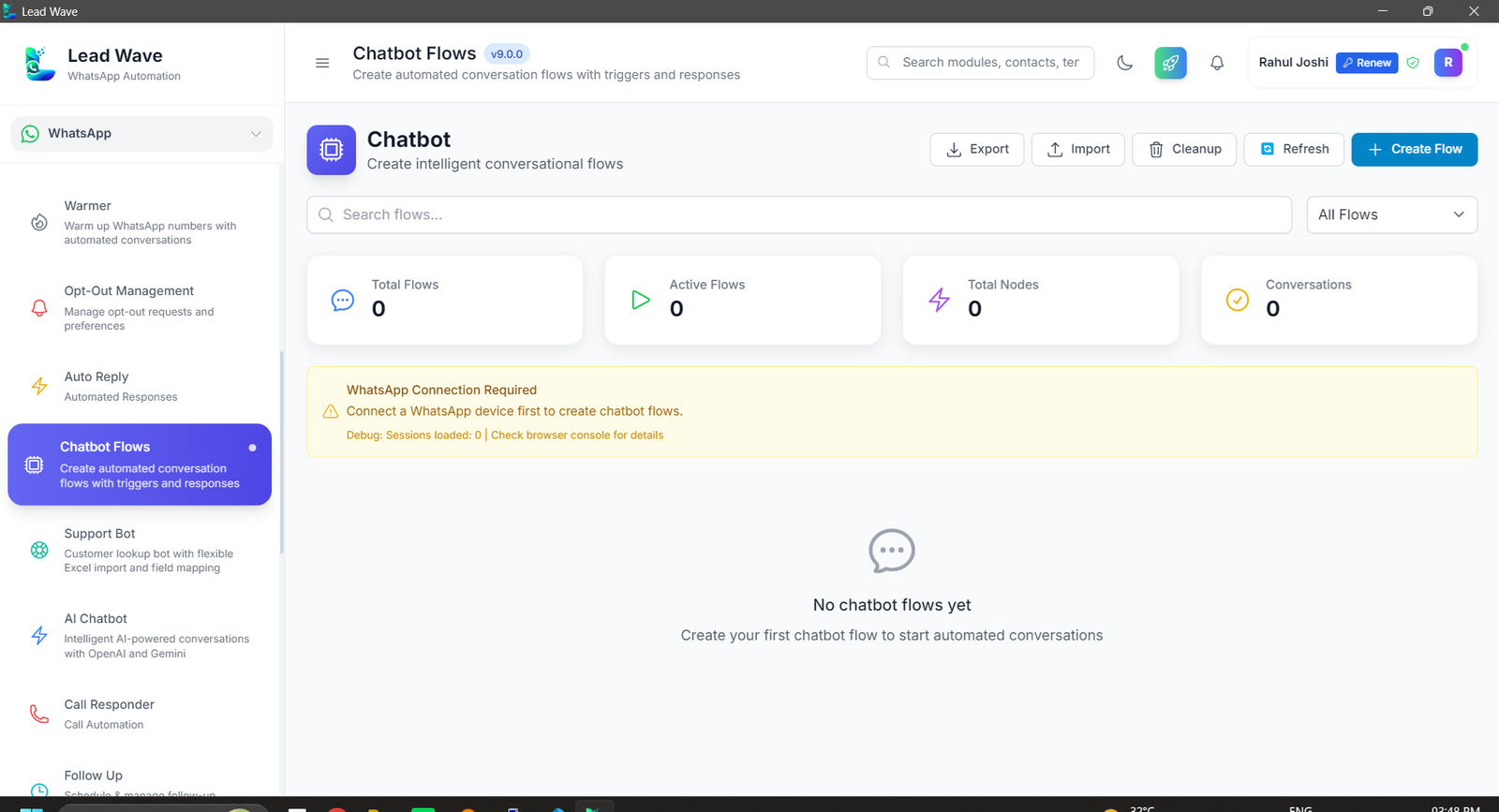
LeadWave Chatbot Builder — no-code flow designer

Chatbot Builder

Design rule-based conversation flows without writing a single line of code.
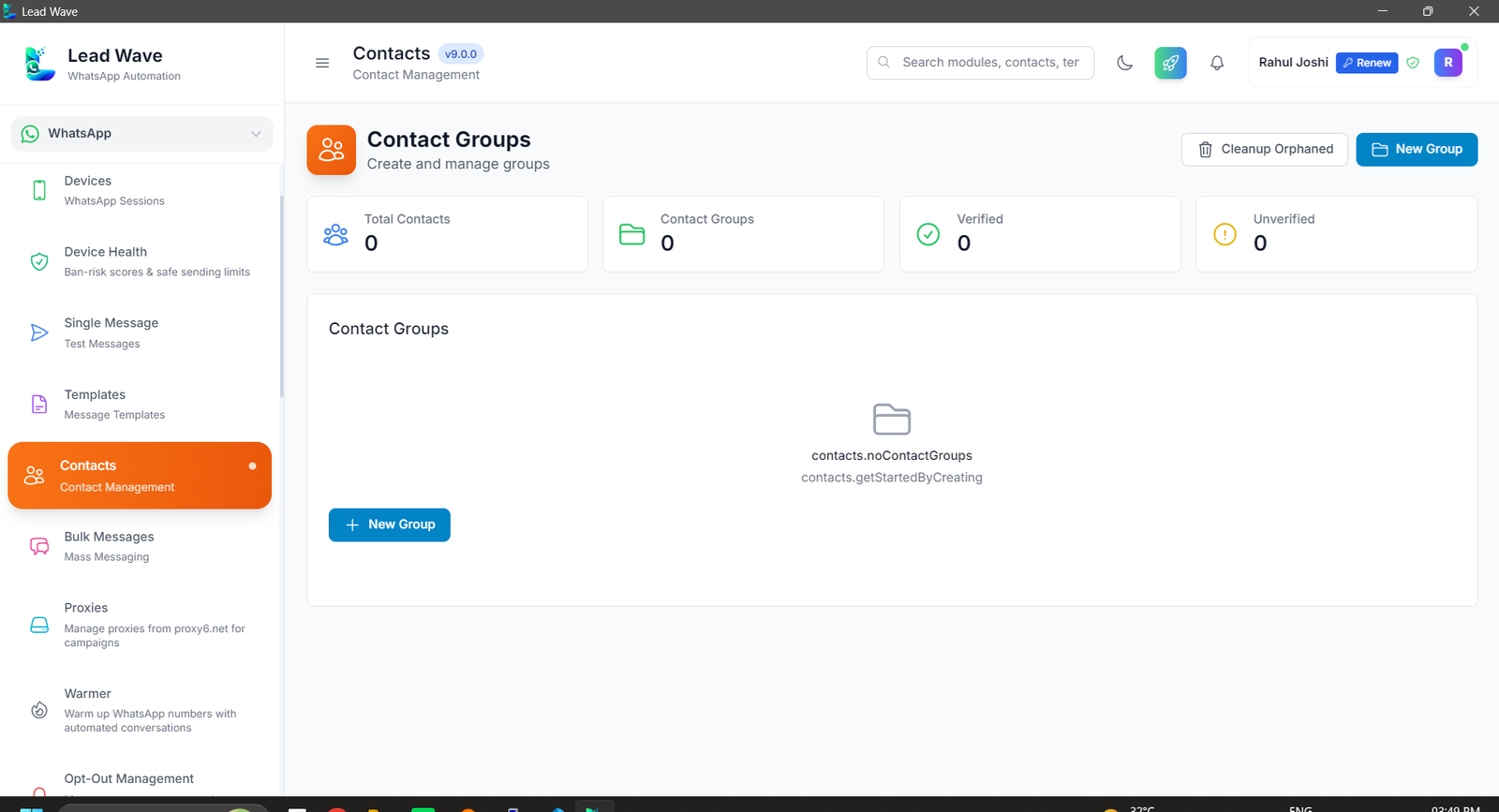
LeadWave Contact Manager — organised contacts and history

Contact Manager

Keep every contact, tag and conversation history organised in one place.
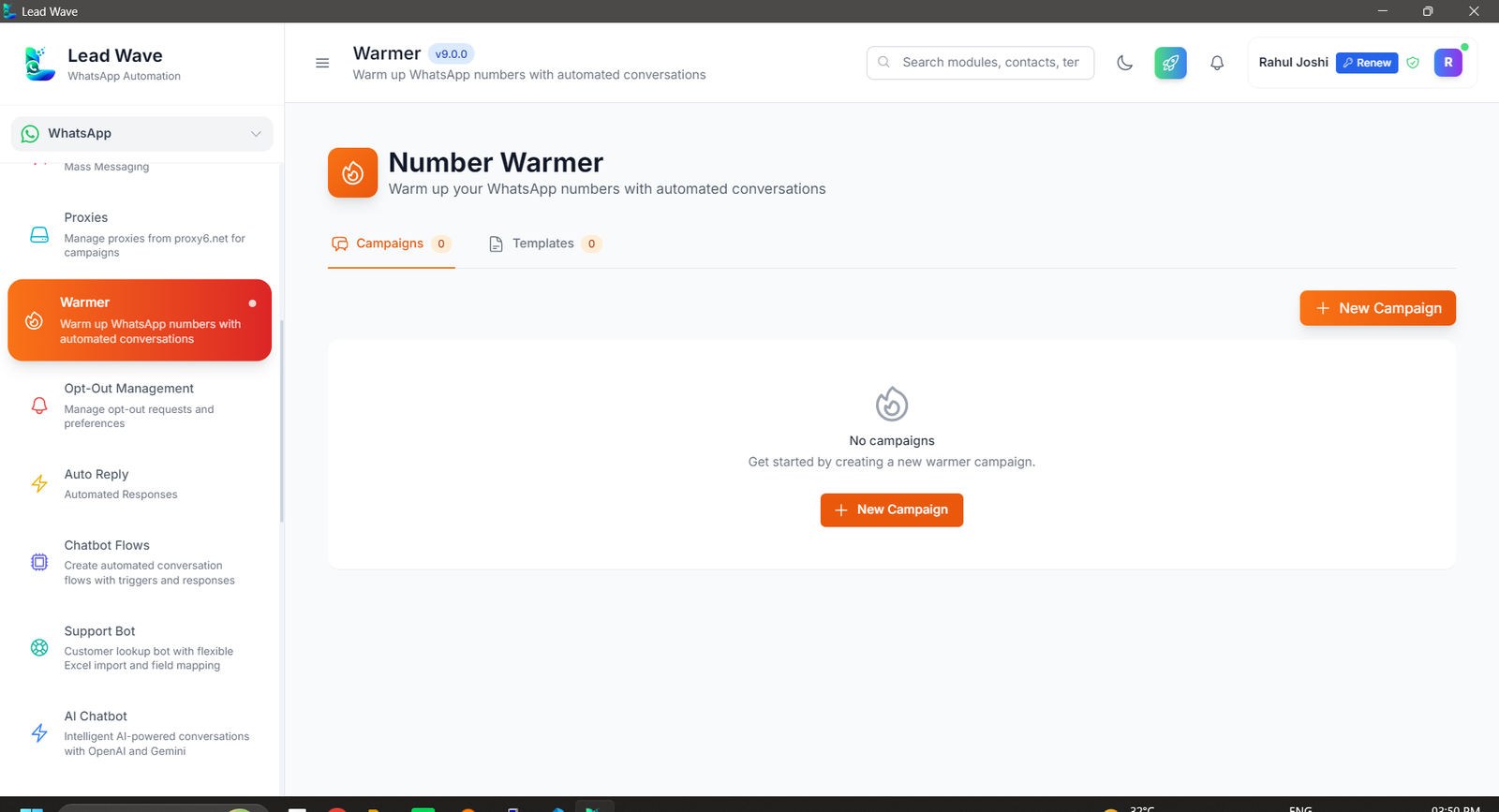
LeadWave Number Warmer — gradually build WhatsApp activity

Number Warmer

Gradually build activity on new numbers before they go into heavy use.
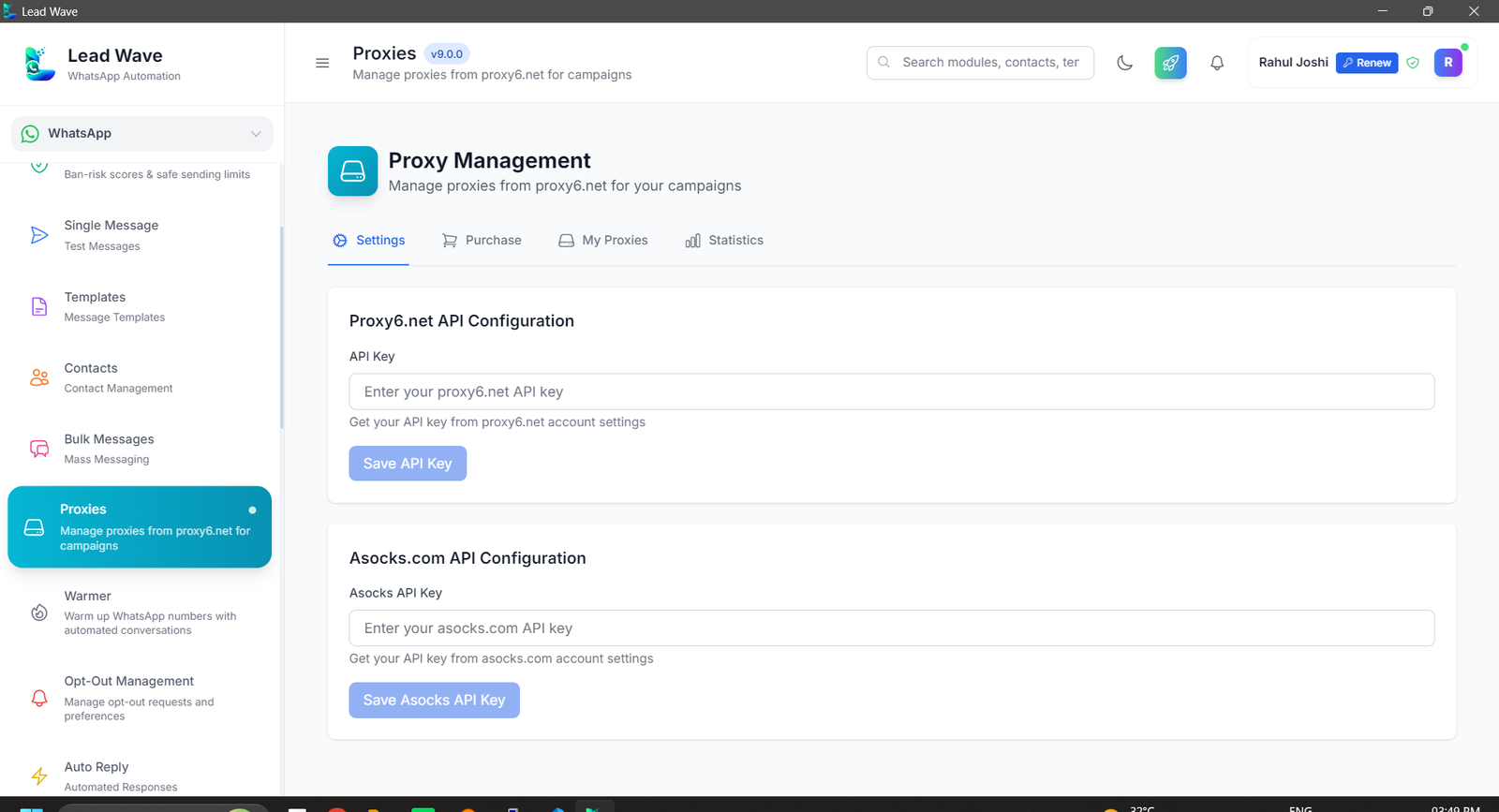
LeadWave Proxies — assign proxies per session

Proxies

Assign proxies per session to keep multi-number setups safe and stable.
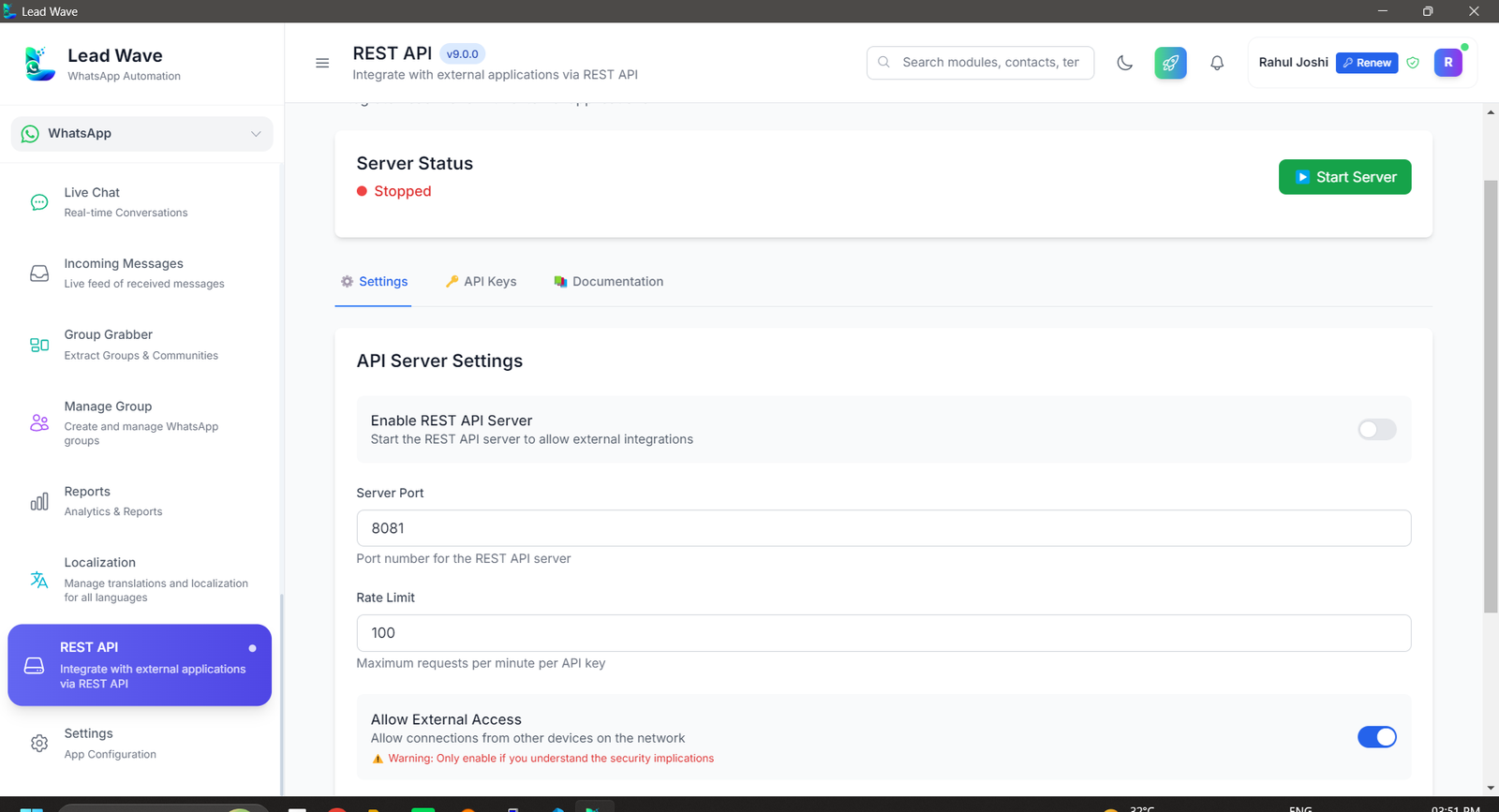
LeadWave REST API — trigger messages from your systems

REST API

Trigger messages and automations from your own systems and CRMs.
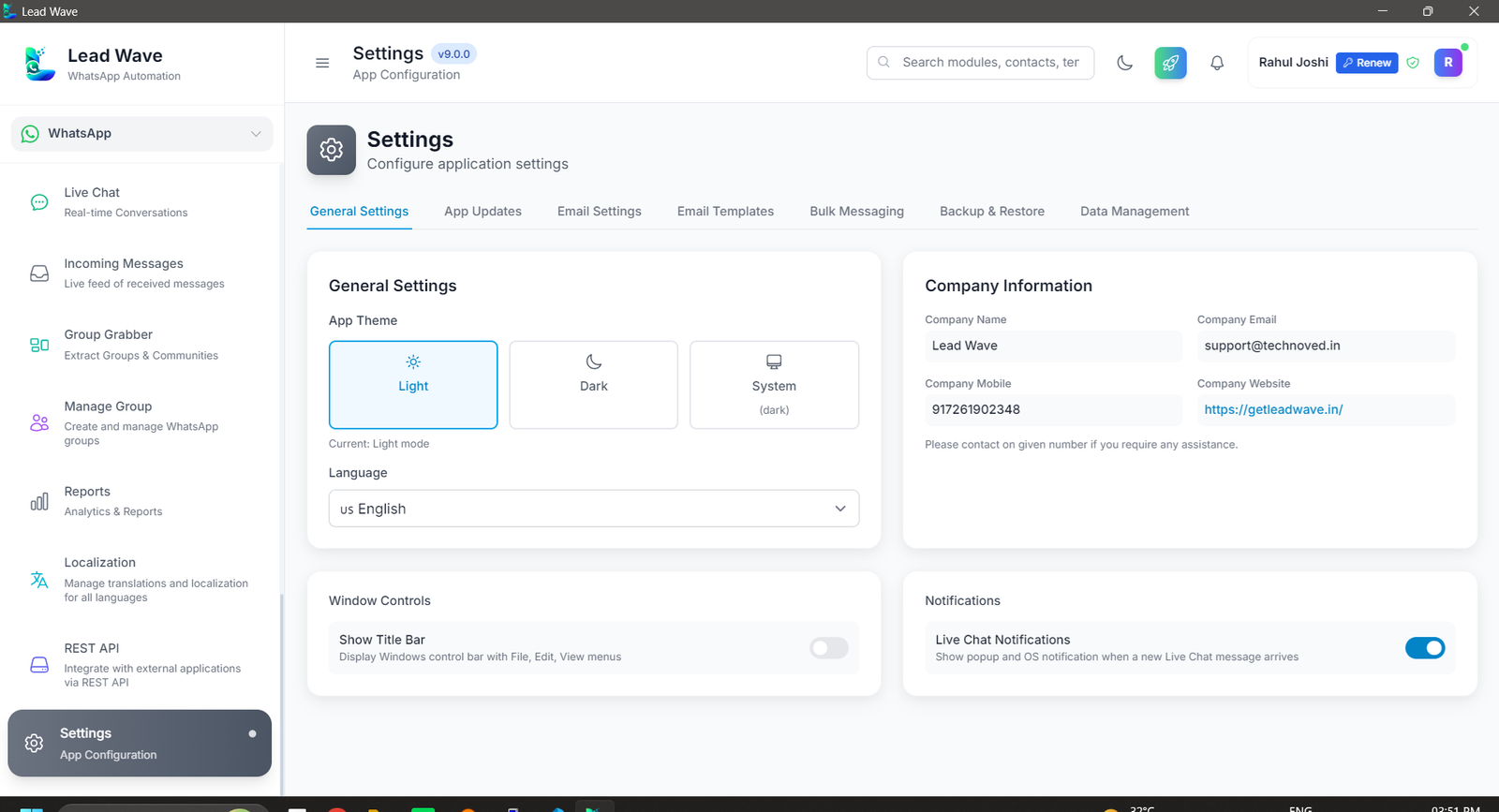
LeadWave Settings — configure all sessions and preferences

Settings

Configure every session and preference from a single control panel.

How to Activate Your License

4 simple steps to start using LeadWave WhatsApp marketing software
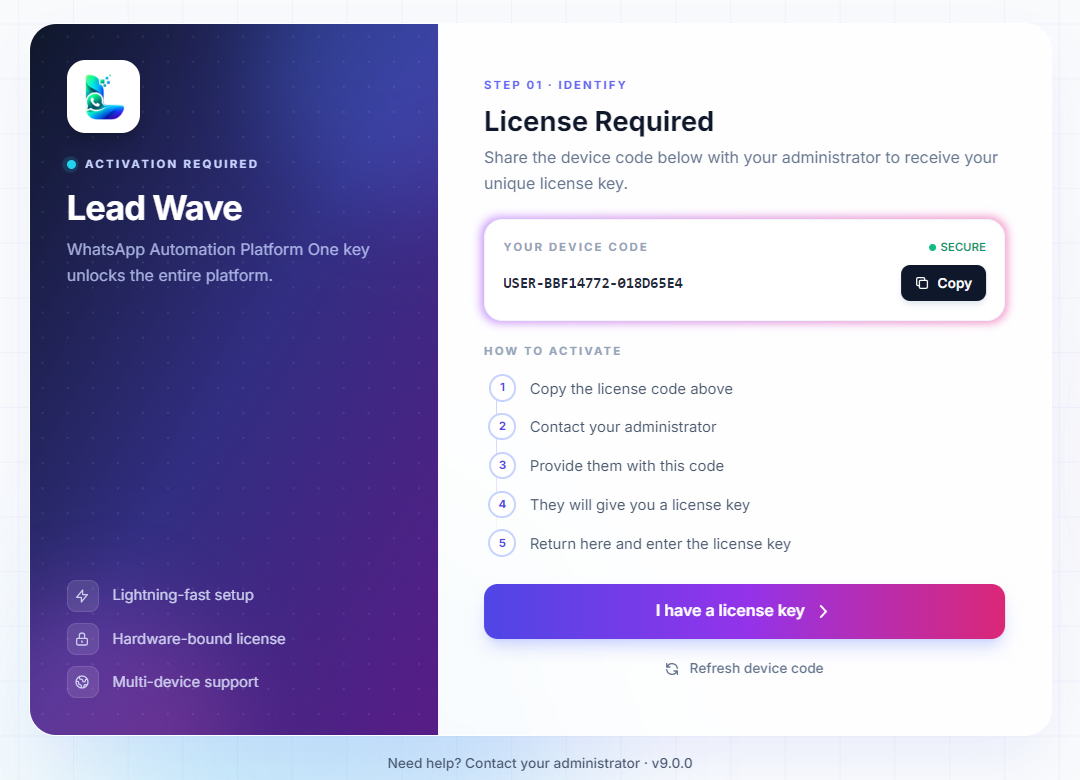
LeadWave License Activation Screen
1

Download & Install

Download LeadWave .exe and install on Windows 10 or 11.

2

Copy Your License Code

After launching, your unique device license code will be shown on screen.

3

Activate via WhatsApp

Send the code to our WhatsApp. Your license activates within minutes.

4

Run Health Check & Start

Check your number health first, then connect WhatsApp and launch your first campaign safely.

Why Buy From Me?

Official LeadWave WhatsApp marketing software reseller — with real support

Always Latest Update

New version drops? I notify you immediately with the latest download link.

Direct WhatsApp Support

Message me directly on WhatsApp — no tickets, no waiting. Fast personal help.

Lowest Price Available

Just $10 for 1 Year or $15 Lifetime — far cheaper than CodeCanyon.

Video Tutorials Included

Full video guides on every feature, including Number Health Check.

100% Trusted Reseller

Original CodeCanyon product — not cracked, not pirated.

Instant Activation

License activated within minutes of payment via WhatsApp.

FeatureBuy From MeCodeCanyon
Always Latest Version Auto notify Self check
Direct WhatsApp Support Personal Ticket only
Lifetime Price Only $15 Higher
Video Tutorials Full guide Limited
Activation Time Minutes Slow
Health Check Guide Included Not provided
Message Me on WhatsApp

$10 (1 Year) or $15 (Lifetime) · Activated within minutes

Pricing Plans

Simple, affordable pricing — no hidden fees

1 Year License
$10
  • All core features
  • AI Chatbot + Gemini
  • REST API Module
  • Number Health Check
  • 1 Year updates + support
Buy via WhatsApp
BEST VALUE
Lifetime License
$15
  • All features + lifetime updates
  • Priority WhatsApp support
  • Live Chat CRM Module
  • Number Health Check
  • All future features forever
  • Cloud Licensing + Static User Code
Get Lifetime Deal

Is LeadWave Right for You?

Please read this before purchasing — we'd rather educate you upfront than sell you the wrong fit and refund it later.

Please understand this before you buy
  • LeadWave connects using Baileys, a reverse-engineered WhatsApp Web library — not the official WhatsApp Business API, and it is not affiliated with Meta / WhatsApp in any way.
  • WhatsApp does not officially permit bulk messaging or automation, on any tool.
  • Number blocking or banning can happen even with the official WhatsApp Business API — unofficial tools like LeadWave carry a higher risk still.
  • No software, including LeadWave, can guarantee your number will never be blocked. Your message content and sending behaviour significantly affect that risk.
  • We strongly recommend testing with a spare or secondary number before committing your primary business number.

LeadWave is a good fit if you…

  • Want WhatsApp automation but understand the risks involved
  • Prefer a one-time cost over an expensive official API setup
  • Accept the technical limitations of an unofficial tool
  • Are okay experimenting responsibly with automation
  • Want direct control over your own campaigns

LeadWave is NOT for you if you…

  • Plan to run spam campaigns
  • Want guaranteed Meta / WhatsApp approval
  • Need WhatsApp to behave with email-like, SLA-backed reliability
  • Want responsibility for WhatsApp policy compliance transferred to the developer
  • Require the 100% official WhatsApp Business API

What to Expect

  • LeadWave depends on WhatsApp's backend and may stop working temporarily after major WhatsApp updates.
  • WhatsApp-side changes can break features without warning.
  • Some issues depend on upstream Baileys library updates — fixes may take time.
  • This is a licensed desktop tool, not enterprise SaaS with uptime SLAs.
By purchasing LeadWave, you acknowledge that it uses an unofficial WhatsApp connection method, that number blocking is a real possibility, and that WaMarketingSoft cannot be held responsible for WhatsApp's policy enforcement decisions.

Troubleshooting & Best Practices

Quick fixes, connection tips, and compliance guidelines

Run Health Check First — Before any campaign, use Number Health Check to confirm your number is safe to send from.
Restart App — Close & reopen LeadWave to reset connections.
Check Internet — Verify connection is stable on both PC and phone.
Restart Device — Reconnect WhatsApp from your phone.
Update Apps — Ensure the latest LeadWave and WhatsApp versions are installed.
Won't Connect: Stable internet on both devices · Update WhatsApp · Clear cache · Disable VPN · Check firewall
Keeps Disconnecting: Stable phone internet · Disable battery saver · Keep WhatsApp running · Don't manually logout. The latest version improves connection stability significantly.
Not Sending: Run Number Health Check first · Confirm device is connected · Use correct number format · Not blocked · Add delays. The latest version adds auto-retry for failed deliveries.
Media Issues: Image 5MB / Video 16MB / Doc 100MB max · Use supported formats · Compress large files
Running Slow: Close heavy apps · Clear LeadWave cache · Reduce active devices · Restart PC. The latest version enhances database performance.
High CPU/Memory: Limit simultaneous campaigns · Slow sending speed · Keep updated to the latest version
Important Guidelines
  • Always run Number Health Check before starting a new campaign
  • Let daily volume follow the number's own activity — never force a fixed quota
  • Minimum 20–40 second delays between messages
  • Only message contacts who have opted in
  • Provide clear opt-out instructions in every message
  • Avoid spam trigger words in content
  • Don't send identical messages to large groups at once

Frequently Asked Questions

Everything you need to know before buying LeadWave WhatsApp Marketing Software

No. LeadWave connects directly to your WhatsApp account the same way WhatsApp Web does — by scanning a QR code or entering a pairing code. There is no Meta Business API approval process and no per-message API billing.
Number Health Check scans your WhatsApp number's spam reputation, risk score and sending history before you run any bulk campaign. If your number is flagged or high-risk, LeadWave will warn you so you can warm it up first — preventing bans before they happen.
LeadWave connects through Baileys, an unofficial WhatsApp Web library — not the official WhatsApp Business API. Because of this, number blocking is a real possibility and cannot be fully avoided. Number Health Check significantly reduces this risk by letting you verify your number's health before each campaign. Always use sending delays and opt-in contacts. We recommend testing with a secondary number first.
Yes. LeadWave supports multiple sessions, so you can manage several WhatsApp numbers from the same dashboard, each with its own settings and, optionally, its own proxy. You can run Health Check on each number individually before sending.
No. Auto-reply rules and chatbot flows are configured through the app's visual interface. If you want to go further, the built-in REST API lets developers trigger messages and automations from your own systems.
LeadWave WhatsApp Marketing Software is currently available as a Windows desktop application and runs on Windows 10 and Windows 11.
LeadWave is a one-time purchase. You pay once and get lifetime access with no recurring fees — your license and data stay with you for good. Choose $10 for 1 Year or $15 for Lifetime access.
It lets you generate and manage license keys yourself, which is especially useful for agencies that rebrand and resell LeadWave WhatsApp Marketing Software to their own clients. A rebranding service is available separately if you want to sell it under your own brand.
Stay updated

Join our official platforms

Every new version, fix and tool release is announced here first. After you order, join these so you never miss an update — we post the new build the moment it goes out, and you never have to come looking for it.

ℹ

Already ordered? Join the channel and the group with the same WhatsApp number you bought with. That is how update links, new builds and licence notices reach you — we do not send them by email.

LeadWave uses alternative third-party libraries — not the official WhatsApp API. Always run Number Health Check before campaigns and use only with opt-in contacts for compliance.
© 2026 LeadWave WhatsApp Marketing Tools · $10 (1 Year) – $15 (Lifetime)