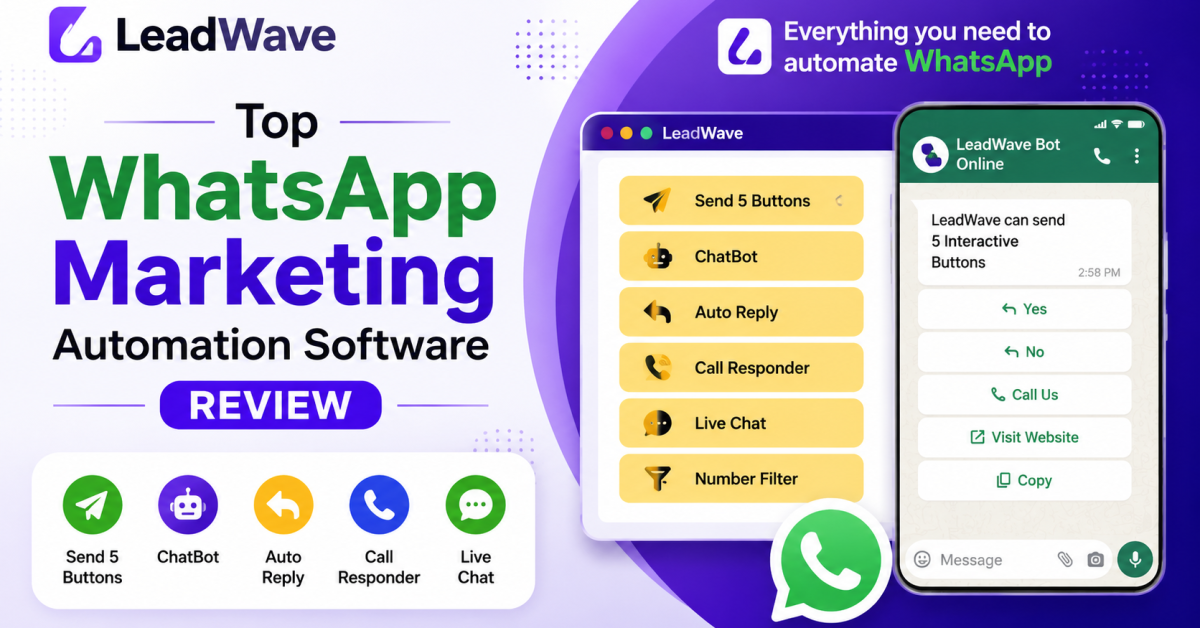
WhatsApp has quietly become the most important customer communication channel for millions of businesses worldwide. But as your contact list grows, manually sending messages, replying to every inquiry, and juggling multiple WhatsApp numbers stops being manageable. This is exactly where dedicated whatsapp marketing software comes in — and LeadWave is one of the most complete solutions available today.
In this guide, we’ll answer the questions people ask most often about WhatsApp marketing software: what it actually is, how to use it, which one is best, and how LeadWave specifically compares. We’ll also clear up some common confusion around WhatsApp’s built-in “Business Tools,” since a lot of people searching for automation solutions actually start there first.
What Is WhatsApp Marketing Software?
WhatsApp marketing software is any application — desktop, web-based, or cloud-hosted — that helps businesses send messages, automate replies, manage contacts, and run campaigns on WhatsApp at a scale that manual messaging simply can’t support.
At its core, this kind of software typically includes some combination of:
- Bulk messaging — sending personalized messages to hundreds or thousands of contacts at once
- Automation — chatbots or auto-responders that handle conversations without a human present
- Multi-device management — controlling several WhatsApp numbers from a single dashboard
- Contact management — importing, tagging, and segmenting your customer database
- Analytics — tracking delivery rates, open rates, and campaign performance
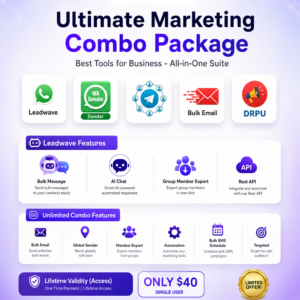
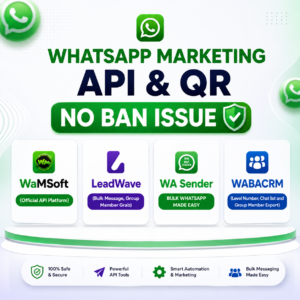
LeadWave WhatsApp Marketing Tools is a Windows desktop application built around exactly this feature set, combining bulk messaging, an AI-powered chatbot, and multi-device management into one connected platform — a category often referred to as leadwave whatsapp automation software.
How to Create a WhatsApp Marketing Software (And Why You Probably Shouldn’t Build Your Own)
Some businesses, especially those with in-house developers, consider building their own WhatsApp marketing software rather than buying an existing solution. If you’re exploring this path, here’s what building one from scratch typically involves:
- Choosing your integration method — either the official WhatsApp Business API (which requires Meta approval, a Business Solution Provider, and per-message costs) or a WhatsApp Web-based library (unofficial, but far cheaper to implement)
- Building a message queue system — to handle bulk sending with proper delays and avoid triggering WhatsApp’s spam detection
- Developing a contact database — with import/export, tagging, and segmentation capabilities
- Adding automation logic — for auto-replies, chatbots, or drip sequences
- Building anti-ban protections — smart delays, number warming, and session management to keep accounts from getting flagged
- Creating a user interface — a dashboard non-technical team members can actually use
In practice, this is a multi-month development project requiring backend, frontend, and messaging infrastructure expertise — and that’s before accounting for ongoing maintenance as WhatsApp changes its systems.
For most businesses, this is exactly why pre-built tools like LeadWave exist: the development, testing, and anti-ban engineering has already been done. Instead of spending months building infrastructure, you get access to bulk messaging, AI chatbot automation, and multi-device management the same day you install the software.
Which Is the Best WhatsApp Marketing Software? What to Look For
“Which is the best WhatsApp marketing software” is one of the most common questions business owners ask — and the honest answer is that it depends on your specific needs. That said, there are clear criteria that separate a genuinely useful tool from a weak one:
1. Reliable Bulk Messaging With Anti-Ban Protection
The best whatsapp marketing tools don’t just blast messages — they include smart delays, randomized sending intervals, and number warming to protect your account from bans. A tool without these safeguards is a liability, not an asset.
2. Real Automation, Not Just Auto-Replies
Basic auto-reply bots that fire the same canned message regardless of context feel robotic and often frustrate customers. Look for software offering genuine AI-driven conversation handling — LeadWave, for example, integrates Google Gemini AI, allowing the chatbot to understand context and respond intelligently rather than matching rigid keyword triggers.
3. Multi-Device Support
If your business uses more than one WhatsApp number — for sales, support, or different departments — your software needs to manage all of them from a single dashboard, not force you to juggle separate logins.
4. Transparent, Reasonable Pricing
Some solutions charge hundreds of dollars monthly, particularly official Business API resellers. Others, like LeadWave, offer lifetime licensing for a one-time fee, which is dramatically more cost-effective for small and mid-sized businesses.
5. Actual Support and Updates
Software that hasn’t been updated in over a year is a red flag — WhatsApp regularly changes its systems, and marketing tools need active maintenance to keep functioning reliably.
Comparing tools using this checklist — rather than just price or feature-list length — is the fastest way to identify which whatsapp marketing software genuinely fits your business.
Top WhatsApp Marketing Software Categories to Know About
When people search for a “top 10 whatsapp marketing software” list, the results usually fall into three broad categories:
Official WhatsApp Business API Providers — These are Meta-approved solutions (accessed through Business Solution Providers) offering the verified green checkmark, enterprise reliability, and template-based messaging. They’re powerful but expensive, often costing $200+ per month plus per-conversation fees, and require an approval process.
Cloud-Based WhatsApp Marketing Software — Web-hosted platforms you access through a browser, usually on a subscription model. These offer convenience and no installation requirements, but ongoing monthly costs add up over time, and features are often gated behind higher-priced tiers.
Desktop Applications — Software installed directly on your computer, typically using WhatsApp Web-based technology rather than the official API. LeadWave falls into this category. The tradeoff is a one-time or low annual cost instead of recurring SaaS fees, combined with full control over your data since it runs locally on your machine.
Each category serves different needs. Enterprises processing massive message volumes with strict compliance requirements often need the official API. But for small businesses, agencies, freelancers, and growing companies looking for affordable, powerful automation, desktop solutions like LeadWave typically deliver far more value per dollar.
LeadWave: A Deep Dive Into the Software
Bulk WhatsApp Messaging
LeadWave’s bulk messaging engine allows you to send thousands of personalized messages in a single campaign. Using variable tokens like {name}, {product}, or {offer}, every message can feel individually written — even when going out to 5,000 contacts simultaneously.
Supported media includes text, images, PDFs, videos, and audio files. Built-in safety features include configurable message delays and randomized sending intervals designed to mimic natural human behavior, which is critical since most WhatsApp bans happen because of suspicious, robotic sending patterns.
AI Chatbot Powered by Google Gemini
This is where LeadWave distinguishes itself from generic bulk senders. The chatbot is powered by Google Gemini AI, letting you:
- Train the bot on your own product data and FAQs
- Build automated conversation flows
- Handle customer inquiries 24/7 without manual input
- Trigger different responses based on keywords or customer behavior
For small businesses especially, this functions like a virtual customer support agent that never sleeps, never misses a lead, and responds instantly regardless of time zone.
Multi-Device Management
Most growing businesses eventually operate multiple WhatsApp numbers — one for sales, one for support, separate numbers per team member or product line. LeadWave consolidates all of this into a single dashboard, eliminating the need to switch between phones or separate accounts.
Contact Management
A complete contact system underpins the whole platform:
- CSV import for bulk uploading existing contact lists
- Tagging and labeling to segment contacts by category, interest, or campaign
- Filtering to target specific groups per campaign
- Automatic number filtering to remove invalid or inactive WhatsApp numbers before sending
Message Templates
Create and save reusable message templates with rich media support, complete with personalization tokens. Deploy with one click rather than rewriting the same message for every new campaign.
Live Chat Module
A built-in Live Chat Module brings basic CRM functionality directly into LeadWave — monitor incoming messages in real time, assign conversations to team members, track customer interaction history, and respond directly from the dashboard.
REST API Module
For developers and businesses running existing CRM systems, LeadWave offers a local REST API, allowing WhatsApp messaging to be integrated into custom workflows, websites, or automation pipelines.
Anti-Ban Protection and Number Warming
Because LeadWave uses WhatsApp Web-based technology rather than the official API, protecting your account is essential. Built-in protections include automated number warming (gradually increasing message volume for new numbers), smart randomized delays, and stable session management designed to avoid triggering WhatsApp’s flagging systems.
How to Use WhatsApp Marketing Software: A Step-by-Step LeadWave Walkthrough
If you’re wondering how to use whatsapp marketing software for the first time, the general process with LeadWave looks like this:
Step 1: Download and Install Download the LeadWave installer and run it on a Windows 10 or Windows 11 PC.
Step 2: Copy Your License Code After launching the app, a unique device-specific license code appears on screen. Copy this code.
Step 3: Activate via WhatsApp Send the license code through WhatsApp to the support number. Your trial or full license activates within minutes.
Step 4: Connect Your WhatsApp Number Scan the QR code or use the pairing code inside the app to link your WhatsApp account.
Step 5: Import Contacts and Launch Your First Campaign Upload your contact list via CSV, apply any relevant tags, and set up your first bulk campaign or activate the AI chatbot.
The entire setup process typically takes under 15 minutes, even for users with no technical background.
LeadWave Pricing
One of LeadWave’s strongest selling points is affordability relative to alternatives. Compared to official WhatsApp Business API solutions — which can run into hundreds of dollars monthly — LeadWave’s pricing is dramatically lower:
| Plan | Price | Duration | Best For |
|---|---|---|---|
| 1 Year License | $10 | 1 year of updates & support | Businesses just getting started |
| Lifetime License | $15 | Lifetime updates & support | Anyone serious about long-term growth |
Both plans include all core features: bulk messaging, AI chatbot, multi-device management, the REST API module, anti-ban protection, and WhatsApp-based support. The Lifetime License additionally includes the Live Chat CRM module, cloud-based licensing, and all future feature updates at no extra cost.
For most users, the lifetime option is the more sensible choice — a single payment removes any concern about renewals while guaranteeing access to every future update.
Free Trial: Try Before You Buy
LeadWave offers a free trial with full feature access and no credit card required. The process is simple: download the software, copy your license code, and send it via WhatsApp to activate your trial. This gives you a genuine opportunity to test bulk messaging, the AI chatbot, and multi-device management before committing to a purchase.
Where Is Business Tools on WhatsApp? Clearing Up a Common Confusion
A significant number of people searching for WhatsApp marketing solutions actually start by asking a slightly different question first: “where is business tools on whatsapp” or “where is the tools tab in whatsapp.”
This confusion is understandable — WhatsApp’s own app does include a “Business Tools” section, but it’s only available in the WhatsApp Business app (a separate download from regular WhatsApp), and it offers a fairly limited feature set compared to dedicated marketing software.
Here’s where to find it and what it actually offers:
Where to Find Business Tools in WhatsApp If you’re using the WhatsApp Business app, tap the three-dot menu (or Settings, depending on your version) and look for “Business Tools” or “Business Settings.” This is where you’ll find WhatsApp’s official native features.
What’s Included in Official WhatsApp Business Tools
- Catalog — a simple product listing you can share with customers
- Quick Replies — pre-written saved responses for common questions
- Greeting Messages — an automatic message sent to new contacts
- Away Messages — automatic replies sent outside business hours
- Labels — basic tags to organize your chat list
- Business Profile — a public-facing info card with your address, hours, and description
What Official Business Tools Don’t Include This is where the gap becomes obvious. WhatsApp’s native Business Tools do not offer:
- Bulk messaging to large contact lists
- AI-powered conversation automation
- Multi-device management from one dashboard
- Contact tagging and advanced segmentation
- Campaign scheduling or analytics
- CRM functionality
In other words, WhatsApp’s built-in tools are useful for very small businesses handling a low volume of conversations manually, but they were never designed for marketing at scale. This is precisely the gap that dedicated whatsapp marketing tools like LeadWave are built to fill — taking the basic groundwork WhatsApp Business provides and layering genuine automation, bulk capability, and AI on top of it.
If you found yourself asking “what is official whatsapp tools” while researching automation options, the short answer is: they’re a helpful starting point for solo entrepreneurs, but any business planning to scale communication will very quickly need something more capable.
Why Buy Through a Trusted Reseller vs. CodeCanyon Direct
LeadWave is originally sold on CodeCanyon, but purchasing through an authorized reseller like WaMarketingSoft comes with real advantages:
| (WaMarketingSoft) | CodeCanyon Direct | |
|---|---|---|
| Price (Lifetime) | Only $15 | Higher |
| Update Notifications | Immediate WhatsApp alert | Check manually |
| Direct Support | WhatsApp, personal & fast | Ticket system only |
| Video Tutorials | Full guide included | Limited |
| Activation Speed | Within minutes | Can take longer |
| Software Quality | 100% original | 100% original |
The software itself is identical in both cases — fully original and official. The real difference lies in the service layer around it: faster support, proactive update notifications, and a lower price point.
Who Should Use LeadWave?
LeadWave is a strong fit for:
- E-commerce businesses sending order updates, promotions, and abandoned cart follow-ups
- Real estate agents nurturing leads through ongoing WhatsApp conversations
- Digital marketing agencies running bulk campaigns across multiple client accounts
- Coaches and course creators communicating with students at scale
- Small businesses replacing expensive customer support software with an AI chatbot
- WhatsApp marketing agencies managing several client numbers from a single dashboard
Frequently Asked Questions
Is LeadWave safe to use? LeadWave uses third-party WhatsApp libraries rather than the official API, and includes anti-ban protection with smart delays and number warming. Following recommended guidelines — a maximum of 500–1,000 messages per day per device, proper delays between sends, and messaging only opt-in contacts — keeps risk very low.
Does LeadWave work on Mac or Linux? Currently, LeadWave is a Windows desktop application, supporting Windows 10 and Windows 11 only.
What happens after my 1-year license expires? The software continues functioning, but you’ll stop receiving updates. You can renew annually or upgrade to a lifetime license at any point.
Can I use LeadWave for client accounts? Yes. Many agencies use LeadWave’s multi-device management feature specifically to run WhatsApp campaigns for multiple clients from one dashboard.
How do I pay for LeadWave? Payment is handled directly through WhatsApp with the reseller, with accepted methods including bKash, Nagad, PayPal, Binance, and other common payment options.
Final Verdict: Is LeadWave Worth It?
For businesses that depend on WhatsApp as a core communication channel, LeadWave offers a genuinely rare combination: AI-powered automation, reliable bulk messaging, multi-device management, and a built-in CRM module, all for a one-time lifetime fee starting at $15 — a fraction of what any comparable monthly SaaS platform would charge.
If you’re evaluating whatsapp marketing software options and trying to determine which is the best whatsapp marketing software for your specific situation, LeadWave stands out for combining genuine AI conversation handling with the flexibility and low cost of a desktop-based tool — without the ongoing fees typically associated with cloud-based whatsapp marketing software or official Business API providers.
Get Started Today
📥 Download the free trial or purchase directly: https://wamarketingsoft.com/leadwavewhatsapp
✅ Free trial available — no credit card required ✅ Lifetime license starting at $15 ✅ Instant activation via WhatsApp ✅ Compatible with Windows 10 / 11
📱 For support or purchase, contact us on WhatsApp: https://wa.me/8801752897864
Published by WaMarketingSoft — Authorized reseller of LeadWave WhatsApp Marketing Tools.